
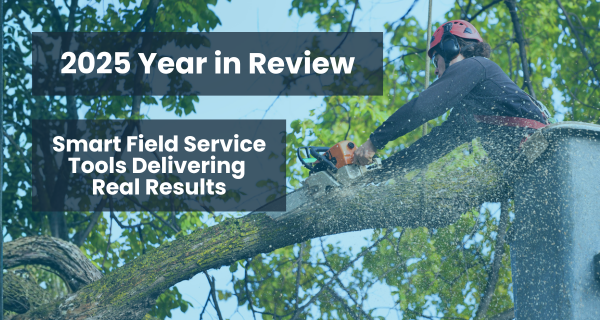
In 2025, we built for the real world of field service, where jobs need to be safer, faster, and done right the first time. You asked for video capture, stronger offline support, faster template builds, and AI-ready data. We delivered.
From safety audits to substation checks, these updates helped teams like yours work smarter. Here’s what made the biggest impact.
5 Smart Field Service Features That Made a Difference in 2025
These aren’t just product updates. They’re real solutions to challenges you shared with us—designed to support how your field teams actually work: in complex environments, under pressure, and often without connectivity. Here’s what made an impact this year.
1. Advanced Data Collection for Real-World Context.
Capturing what’s happening on the job-site is easier than ever. We introduced tools that let your team snap videos, annotate photos, attach files, and fill structured tables—all from the same form.
Field technicians can now record equipment issues, narrate walk-throughs, or capture non-standard findings. A 30-second video often replaces back-and-forth questions, rework, or delays.
Why it matters: Visual context speeds up diagnosis and resolution. Structured video data feeds your analytics engine without extra effort. Customers in manufacturing and infrastructure are already using this to improve inspections and reduce repeat visits.
2. Offline That Works. Even on Windows.
We improved offline reliability across platforms, including rugged Windows devices. The result? No matter where your teams work, underground, remote, or on industrial tablets, they can collect data, complete jobs, and sync later with confidence.
Mobile state recovery and cleaner offline sync logic also mean fewer data losses and better user trust.
Why it matters: Your work doesn’t stop when signal drops. Now, neither does your data capture.
3. Template AI Agent for Faster Form Creation.
Creating smart forms got simpler. Template AI Agent lets users generate or update form templates using natural language or PDFs. Whether you’re building a new checklist or adapting an old one, it now takes minutes—not hours.
Why it matters: You scale faster without adding headcount or complexity. No-code template generation means more time focused on service, not setup.
4. Data That’s Ready for AI and Reporting.
Smart tools are only as good as the data behind them. This year, we reinforced Youreka’s data structure adding schema alignment, table logic, audit trails, and an AI-ready architecture.
We also rolled out AI Discoveries, which helps identify trends and flag critical entries automatically.
Why it matters: Better structure means better outcomes. Whether you’re running dashboards or building predictive models, you now start with clean, consistent data.
5. Integrated Maps, Translations, and Tools That Scale.
From ArcGIS map layers to embedded Fuse workflows and global translation support, we added tools that let large global teams operate like local experts. Technicians can now tap into service history, view complex maps, and navigate multilingual forms—all inside one app.
Why it matters: Whether your teams operate across cities or continents, these updates reduce confusion, prevent errors, and make coordination easier.
How Smart Field Service Tools Improved Fix Rates, Compliance, and Costs in 2025
First-time fixes improved.
Better data capture, smarter templates, and richer context meant techs arrived prepared and jobs got done right the first time.
Compliance got easier.
Built-in media and structured fields created clear, credible records that stood up to audits without extra admin work.
AI became usable.
Clean, consistent data allowed teams to build dashboards, detect patterns, and start applying predictive maintenance in the real world.
Adoption increased.
When tools worked offline, were easy to use, and matched how jobs actually happen, techs used them without being forced.
Costs went down.
Fewer repeat truck rolls, faster dispatch, and smarter resource use helped organizations reduce total cost of service.
Built with Your Feedback, Designed for the Future
What made 2025 different wasn’t just the features we delivered. It was the way we built them. Every update came from two places:
Your voice.
We prioritized customer requests, field feedback, and mobile usability. If it slowed your team down, we worked to fix it.
A bigger vision.
At the same time, we made sure each feature supported long-term goals. We asked, “Will this support AI? Will this make data more usable for customers next year?”
This approach gave you the best of both worlds: real improvements you needed right away, and a platform ready for what’s next.
What’s Next for Smart Field Service Tools?
2025 laid the groundwork. In 2026, we’re building on it with features that aim to bring more intelligence, automation, and insight into the field. These roadmap items are forward-looking and subject to change.
- More AI Discoveries
Your forms will start flagging what matters automatically—like a photo that shows unreported damage or sensor data that suggests a leak. No manual reviews needed. - Richer media options
New media types are on the way, including images and voice notes that become structured data inside your reports. - A smoother user experience
Expect less tapping, more natural language, and built-in automation that guides your techs through each task with fewer steps and more confidence.
How to Get the Most Out of Your Smart Field Service Tools
These updates are built to deliver value, but they work best when fully adopted. Here’s how to make sure your team gets the benefit:
Update to the latest mobile version (Boost).
Boost brings AI Discoveries and enhanced translated forms to the field. Techs get smarter insights and clearer experiences, no matter where the job takes them.
Upgrade your forms.
Still using basic checklists? Add structured tables or video capture to get cleaner data that supports AI and reporting.
Loop in your analytics or IT team.
Let them know your data is now AI-ready. That means smarter dashboards, faster insights, and better decisions ahead.
Run a quick data review.
Look at 50 recent jobs. If the captured data doesn’t tell a full story or surface trends, it’s time to improve what you collect in the field.
Thanks for a Great 2025
To our customers: your feedback drives everything we build. You’re in the field, under pressure. We’re here to make your data work harder, faster, and smarter.
Here’s to fewer steps, better insights, and smarter field service tools in 2026.